

PS5 cloud gaming is rapidly transforming the way gamers experience high-quality titles without relying entirely on powerful hardware. With the rise of cloud-based services, players can now stream games directly over the internet, reducing the need for physical discs or massive downloads. Whether you’re a casual gamer or a dedicated enthusiast, PS5 cloud gaming offers convenience, flexibility, and access to a vast library of games.
Developed under the ecosystem of Sony, the PlayStation 5 integrates advanced cloud gaming capabilities through services like PlayStation Plus. This guide will walk you through everything you need to know about PS5 cloud gaming, including how it works, its benefits, setup process, and tips to optimize your gaming experience.
What is PS5 Cloud Gaming?
PS5 cloud gaming allows users to stream games directly from remote servers instead of running them locally on the console. This means the heavy processing happens in data centers, and the video output is streamed to your device in real time.
Instead of downloading a game that takes up storage space, players can instantly access it through the cloud. This is particularly useful for gamers who want quick access to multiple titles without worrying about storage limitations.
Key Features of PS5 Cloud Gaming
- Instant access to games without downloads
- Reduced storage usage on the console
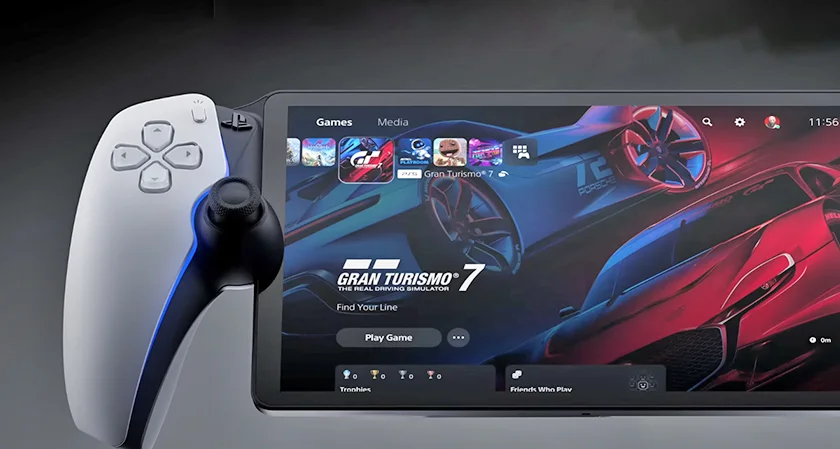
- Ability to play high-end games on compatible devices
- Seamless switching between devices
- Integration with subscription-based game libraries
How PS5 Cloud Gaming Works
PS5 cloud gaming operates on powerful remote servers that run the game and stream the output to your console or device. Your inputs—such as controller movements—are sent back to the server in real time.
The process involves three main steps:
- Game Execution on Cloud Servers
The game runs on high-performance servers hosted by Sony. - Streaming Video Output
The gameplay is streamed to your device as a video feed. - Real-Time Input Response
Your controller inputs are transmitted back to the server instantly.
This system requires a stable and fast internet connection to ensure minimal latency and smooth gameplay.
PS5 Cloud Gaming Requirements
To enjoy PS5 cloud gaming without interruptions, certain requirements must be met. These include both hardware and internet specifications.
Minimum Requirements
- PS5 console or compatible device
- Active PlayStation Plus Premium subscription
- Stable internet connection (at least 15 Mbps recommended)
- DualSense wireless controller
Recommended Setup
| Requirement | Recommended Specification |
|---|---|
| Internet Speed | 25–50 Mbps |
| Connection Type | Wired (Ethernet) |
| Display | 1080p or higher |
| Latency | Low ping (<50 ms) |
A faster connection significantly improves the overall experience of PS5 cloud gaming.
Benefits of PS5 Cloud Gaming
PS5 cloud gaming offers numerous advantages that make it appealing to modern gamers.
1. No Downloads Required
One of the biggest benefits is the ability to play games instantly without waiting for downloads or updates.
2. Saves Storage Space
Cloud gaming eliminates the need to store large game files on your console.
3. Access to a Large Game Library
With PlayStation Plus Premium, players can explore a wide range of titles without purchasing each one individually.
4. Cross-Device Compatibility
You can play games on different devices, including PCs and supported mobile devices.
5. Convenience and Flexibility
PS5 cloud gaming allows you to jump into games anytime, anywhere, as long as you have an internet connection.
Limitations of PS5 Cloud Gaming
Despite its advantages, PS5 cloud gaming also comes with some limitations.
Internet Dependency
A stable and fast internet connection is essential. Poor connectivity can lead to lag and buffering.
Latency Issues
Even with a good connection, slight input delays may occur, especially in fast-paced games.
Limited Game Availability
Not all PS5 titles are available for cloud streaming.
Subscription Cost
Access to cloud gaming features requires a premium subscription.
How to Set Up PS5 Cloud Gaming
Setting up PS5 cloud gaming is straightforward. Follow these steps to get started:
Step 1: Subscribe to PlayStation Plus Premium
Ensure you have an active subscription that supports cloud gaming.
Step 2: Connect to a Stable Internet
Use a wired Ethernet connection for the best performance.
Step 3: Access the Game Library
Navigate to the cloud streaming section in the PlayStation interface.
Step 4: Select a Game
Choose a game and click on the “Stream” option.
Step 5: Start Playing
The game will launch instantly without downloading.
PS5 Cloud Gaming vs Traditional Gaming
Understanding the difference between cloud gaming and traditional gaming can help you decide which option suits you best.
| Feature | Cloud Gaming | Traditional Gaming |
|---|---|---|
| Installation | Not required | Required |
| Storage Usage | Minimal | High |
| Performance | Internet-dependent | Hardware-dependent |
| Accessibility | High | Limited to console |
| Cost | Subscription-based | Per-game purchase |
PS5 cloud gaming is ideal for users who prioritize convenience, while traditional gaming suits those who prefer consistent performance.
Tips to Improve PS5 Cloud Gaming Performance
To get the best experience from PS5 cloud gaming, consider the following tips:
Optimize Your Internet Connection
- Use a wired Ethernet connection
- Avoid network congestion
- Upgrade to a higher-speed plan if needed
Reduce Latency
- Close background applications
- Limit the number of connected devices
Adjust Display Settings
Lower resolution settings can improve performance on slower connections.
Use Quality Hardware
Ensure your controller and display are functioning optimally for smooth gameplay.
Popular Games Available on PS5 Cloud Gaming
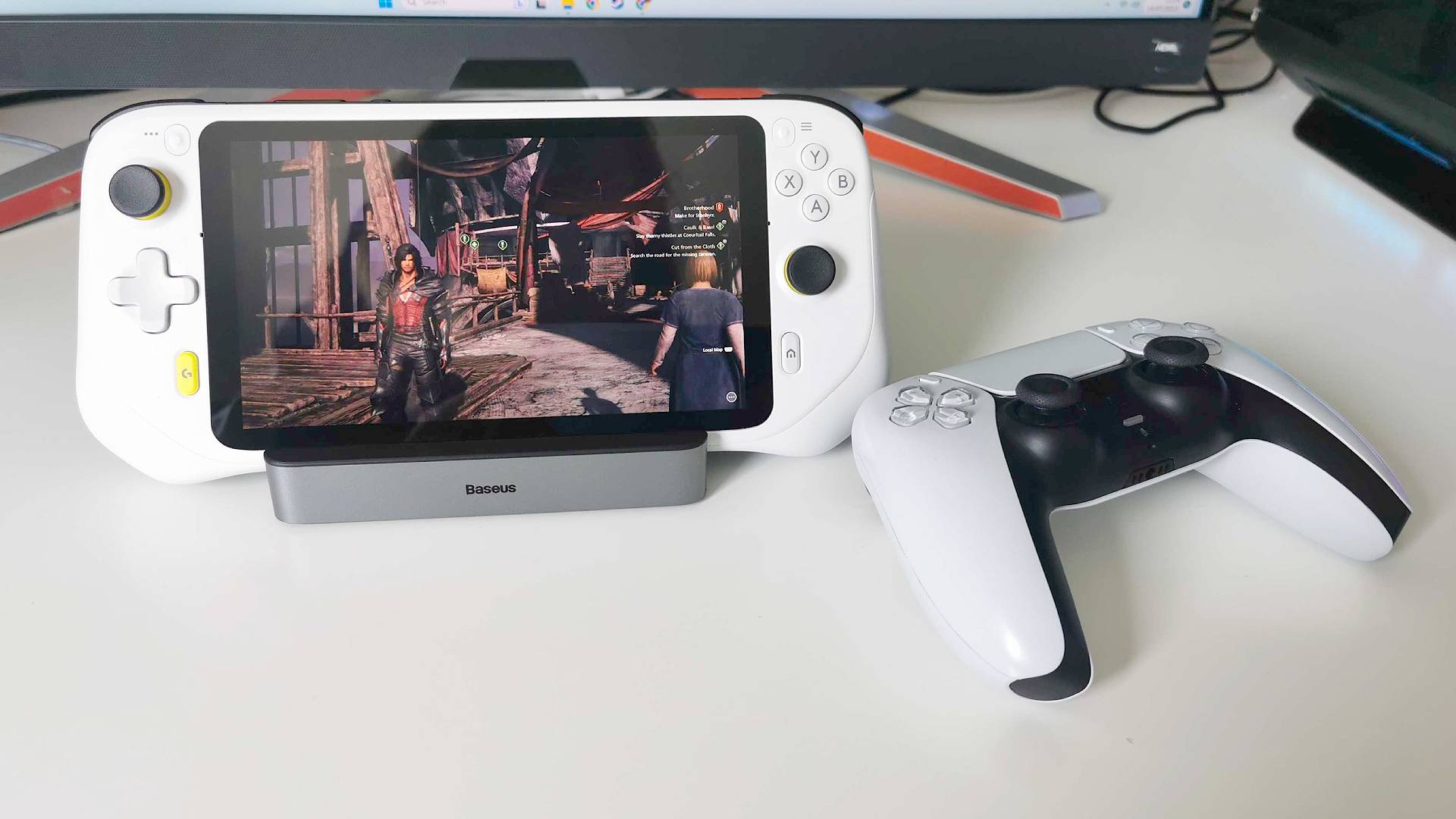
PS5 cloud gaming supports a growing library of titles across various genres. Some popular categories include:
- Action and adventure games
- Role-playing games (RPGs)
- Sports and racing games
- Indie titles
The availability of games may vary depending on your region and subscription plan.
Future of PS5 Cloud Gaming
The future of PS5 cloud gaming looks promising as technology continues to evolve. With advancements in internet infrastructure, including 5G and fiber networks, cloud gaming is expected to become more reliable and widespread.
Sony Interactive Entertainment is continuously improving its cloud services, aiming to reduce latency and expand the game library. As competition grows in the cloud gaming industry, users can expect better performance, more features, and competitive pricing.
Why PS5 Cloud Gaming is Gaining Popularity
PS5 cloud gaming is becoming increasingly popular due to its ability to simplify the gaming experience. Players no longer need to worry about hardware upgrades or storage limitations. Instead, they can focus on enjoying their favorite games instantly.
The convenience of accessing games across devices and the ability to try new titles without committing to purchases make cloud gaming an attractive option.
FAQs About PS5 Cloud Gaming
What is PS5 cloud gaming?
PS5 cloud gaming is a service that allows you to stream games over the internet without downloading them.
Do I need a PS5 for cloud gaming?
While a PS5 enhances the experience, cloud gaming can also be accessed on compatible devices.
Is PS5 cloud gaming free?
No, it requires a PlayStation Plus Premium subscription.
What internet speed is required?
A minimum of 15 Mbps is required, but 25 Mbps or higher is recommended.
Can I play offline?
No, PS5 cloud gaming requires a continuous internet connection.
Conclusion
PS5 cloud gaming represents a major shift in the gaming industry, offering players a more flexible and convenient way to enjoy their favorite titles. By eliminating the need for downloads and reducing hardware dependency, it opens up new possibilities for gamers worldwide.
While it does have some limitations, such as reliance on internet connectivity, the benefits far outweigh the drawbacks for many users. As technology continues to improve, PS5 cloud gaming is set to become an even more integral part of the gaming ecosystem.
Read More:-Hackensack Meridian Health: Leading Care, Innovation, and Growth